
Wan 2.2 Animate Workflow in ComfyUI (2025-9-19)


The official ComfyUI stream on September 19, 2025, featured video artist Trent Hunter (Flipping Sigmas) as a guest, providing an in-depth explanation and live demonstration of the new AI video generation model, "WAN Animate." Through comparisons with existing VACE models, the stream revealed a new approach to processing subjects and motion separately, as well as exceptional efficiency that enables high-resolution generation with low VRAM. The stream introduced how to set up a specific workflow using custom nodes developed by Kajai for the latest "Wan 2.2 Animate," and featured a lively exchange where problems were solved in real-time based on advice from viewers, symbolizing the collaborative culture of the open-source community.
Chapter 1: Opening and Guest Introduction
Host: "Hello, everyone. Welcome to the ComfyOrg stream."
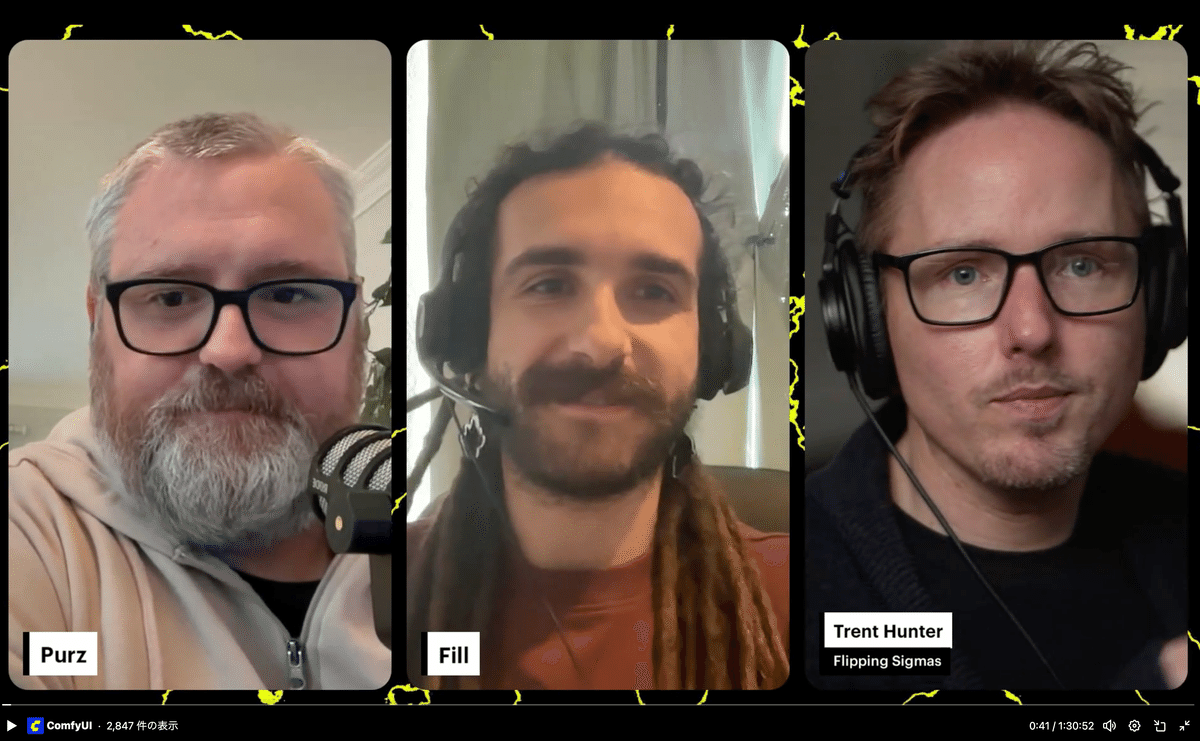
On this day's stream, host Purz (X@PurzBeats) was joined by Fill and guest Trent Hunter (X@ Loading tweet component... Trent introduced himself, saying that he originally entered the world of AI video production from "Warp Fusion" and then became completely engrossed in ComfyUI. His work caught the eye of a film company, which led to his current profession. He recalled that the moment he became hooked on AI was when he saw an image generated from text with MidJourney and intuitively thought, "This will soon become video." Trent: "I think the power of this community is that everyone can build upon each other's achievements."
The stream also discussed the culture of the open-source community surrounding ComfyUI. Trent shared an experience where a stranger spent 30 minutes helping him when he was having trouble with the setup, emphasizing the wonderfulness of a community where people help each other. The host agreed, saying, "When someone discovers something, they share it immediately instead of keeping it to themselves. That's the biggest strength of this community." The participants agreed that this spirit of sharing supports the rapid development of technology. Host: "Last week's community challenge was to create a video with pose control from the provided source video."
The results of last week's community challenge were announced, along with a wonderful montage video edited by community leader Joe. Everyone was amazed by the high level of the participants' work. Comfy Challenge #4 Montage "Pose Alchemy"
Using the provided reference poses to control character dynamics. Here are dozens of highlight videos from our community and check the
recommended workflow on how to do it 👇
pic.twitter.com/xoKiqVTvz1 — ComfyUI (@ComfyUI) Loading tweet component...
"Pose Alchemy": Comfy Challenge #4 Montage & #5 Reveal The winner
reveal and the announcement for week #5 blog.comfy.org
(https://blog.comfy.org/p/pose-alchemy-comfy-challenge-4-montage) In relation to the commentary on the works, there was a discussion by Fill comparing WAN Animate and VACE Fun model. This discussion starts with a scene that symbolizes how amazingly fast AI video generation technology is evolving. In response to the wonderful works using pose control technology announced at the community challenge, a comment was received from the chat saying, "Juan Anime (WAN Animate) will destroy (surpass) this." In response, the host laughed and said, "This technology has only been announced for a week," pointing out the extraordinary speed of development in this field, where what was cutting-edge last week becomes obsolete in an instant with the advent of a new model. It's about how quickly technology becomes obsolete and evolves. This exchange serves as an introduction to how WAN Animate, which will be explained later, has made a huge leap from existing technology. Triggered by a question from viewers asking, "What is the difference between WAN Animate and existing models?", the discussion moved on to a more technical comparison. As a common point, both models are very similar in their ultimate purpose. Both Are used as inputs to generate videos in which characters move while maintaining consistency. The difference is the approach to get to that destination, in other words, the internal mechanism is different. Revolution in efficiency: High-resolution generation with low VRAM. In the discussion, another major advantage of WAN Animate was its outstanding VRAM efficiency. The host reported that when he tried it in early access, the VRAM usage was less than 20GB despite the high resolution of 1280x720. This means that high-quality video generation, which was previously only possible with high-end GPUs, can now be realized in more common environments, which is a very exciting advance for the community. Next, it was announced that the new challenge for this week would be themed "First-Person Flight". The requirements are as follows: 🪽Comfy Challenge #5: "Infinite Flight"
First-person Flying Scenes We'll be looking for creativity in the scene and story, along with smooth,
high-quality motion! 🏆 $100 cash or $200 ComfyUI credits Let's fly in daydreams together!
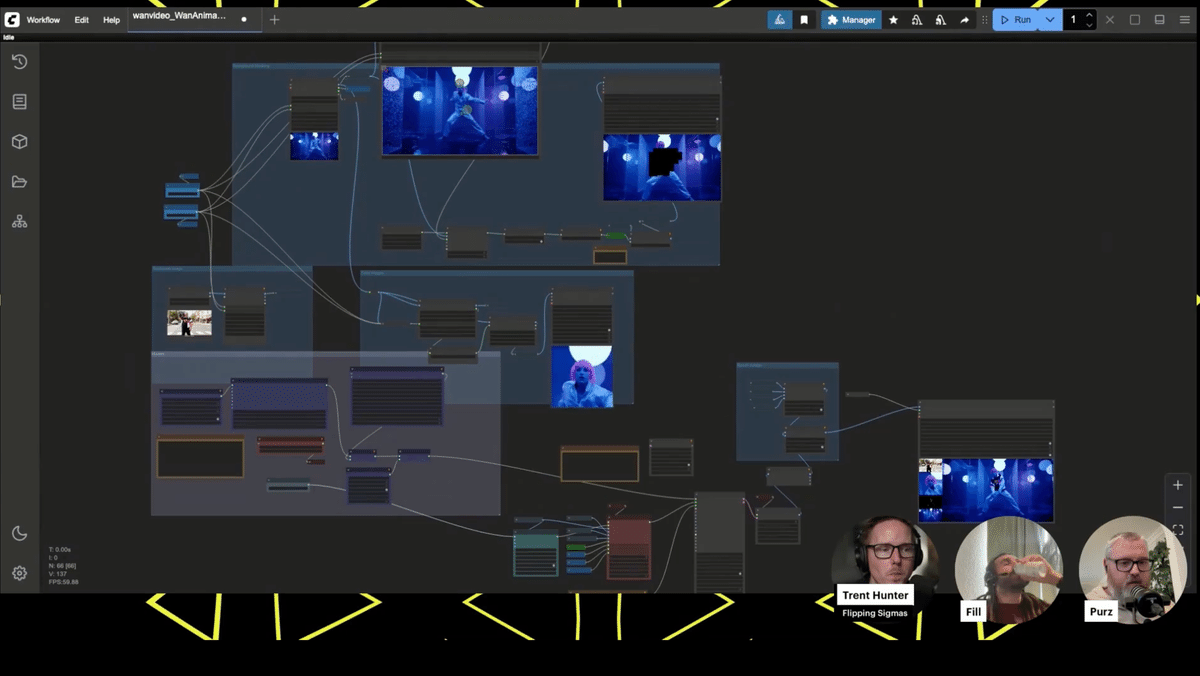
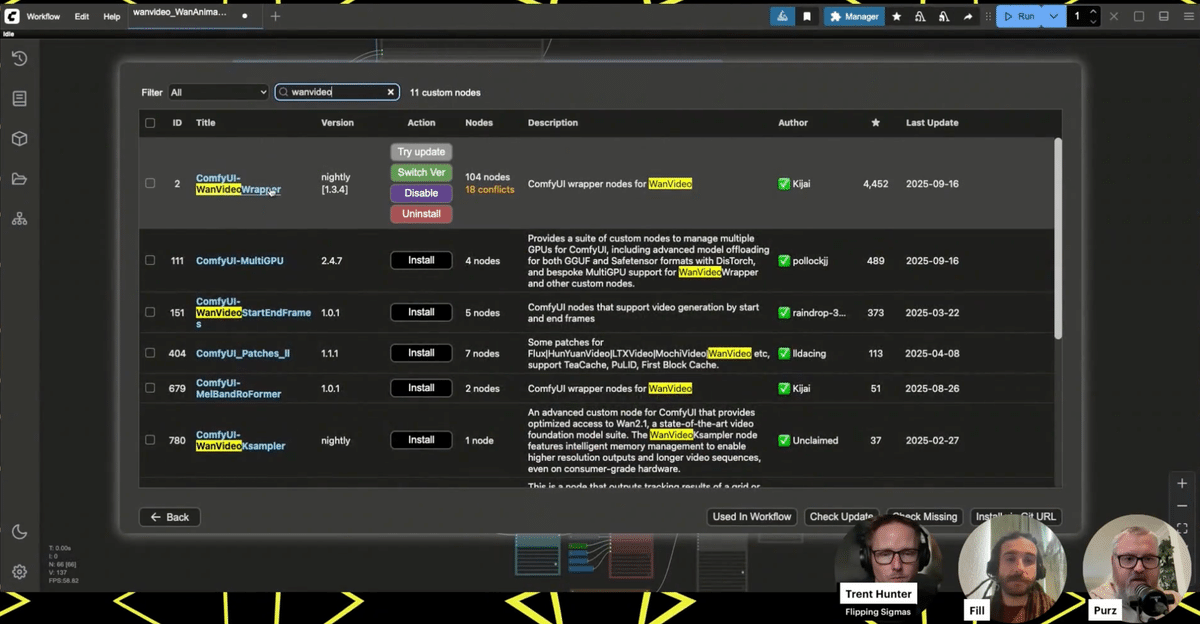
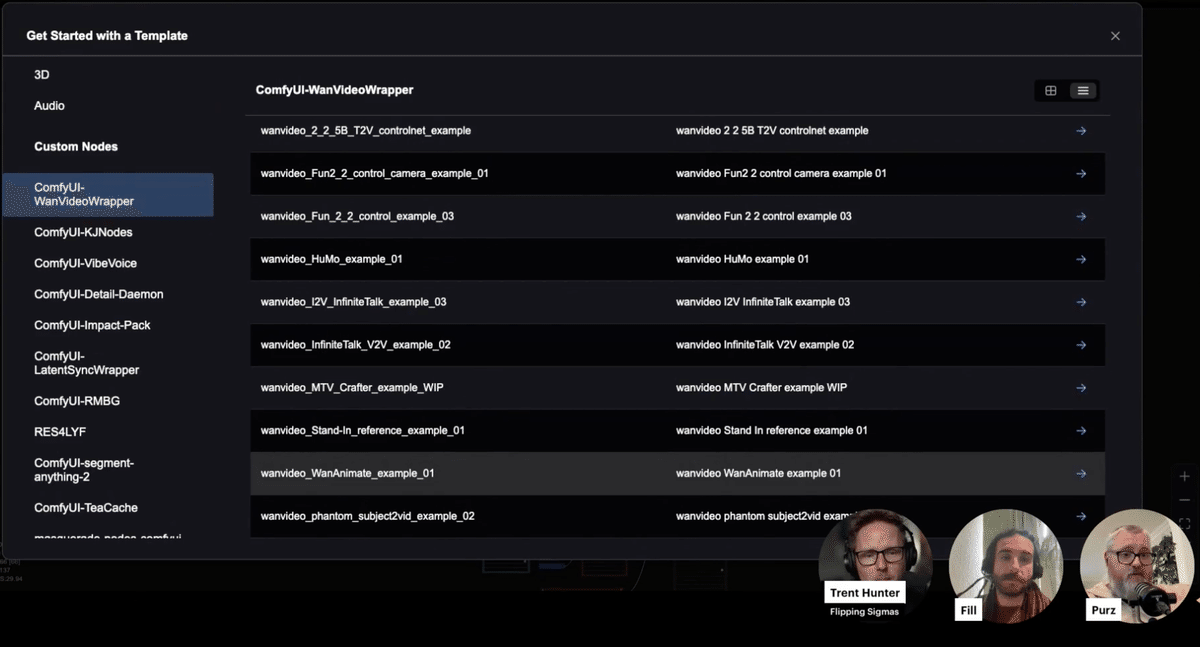
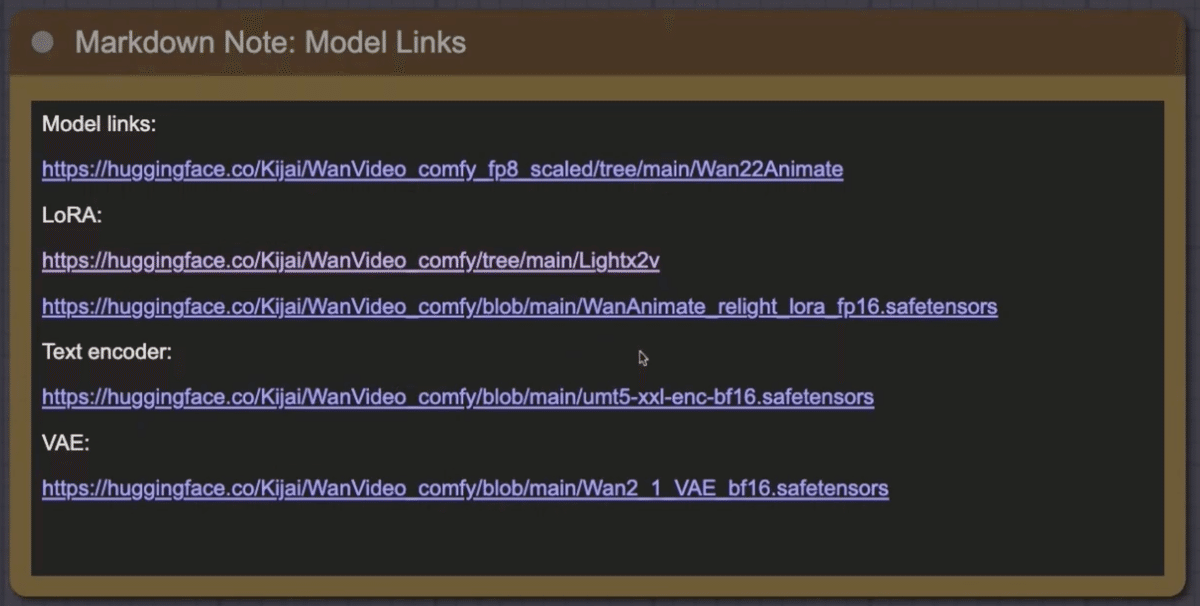
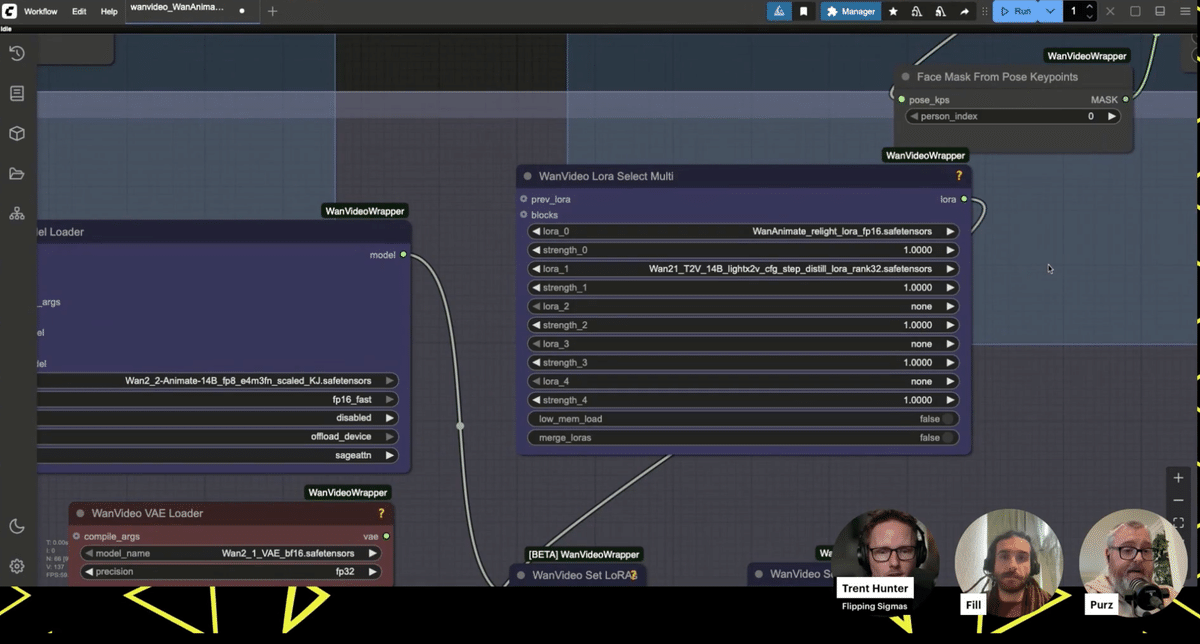
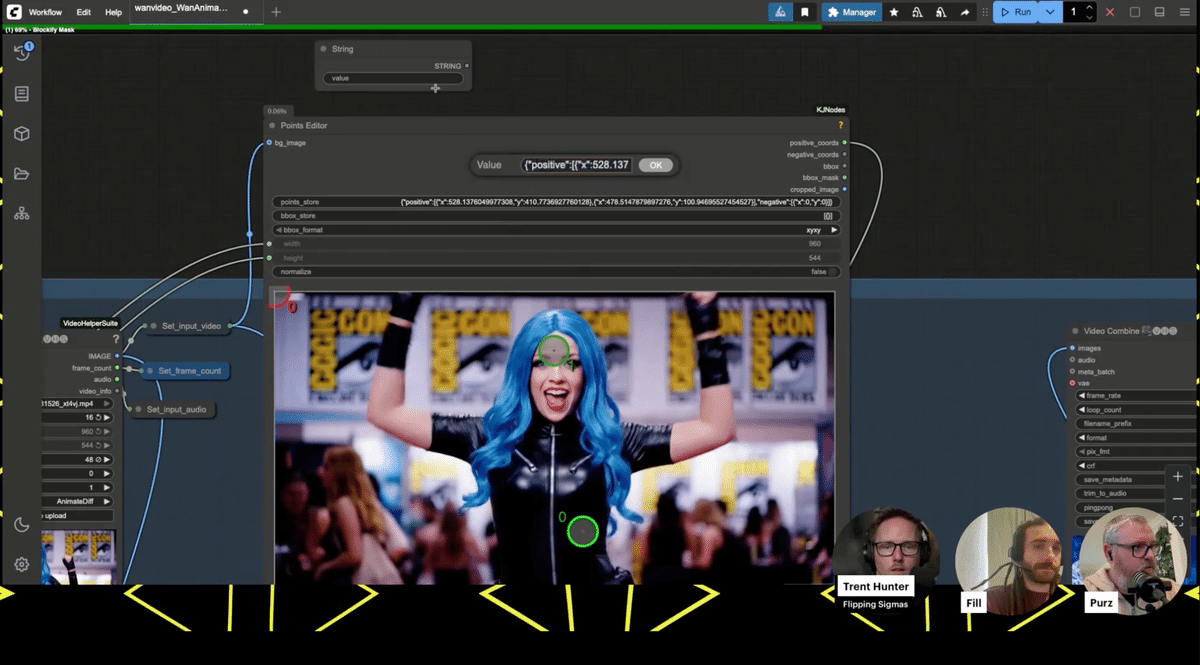
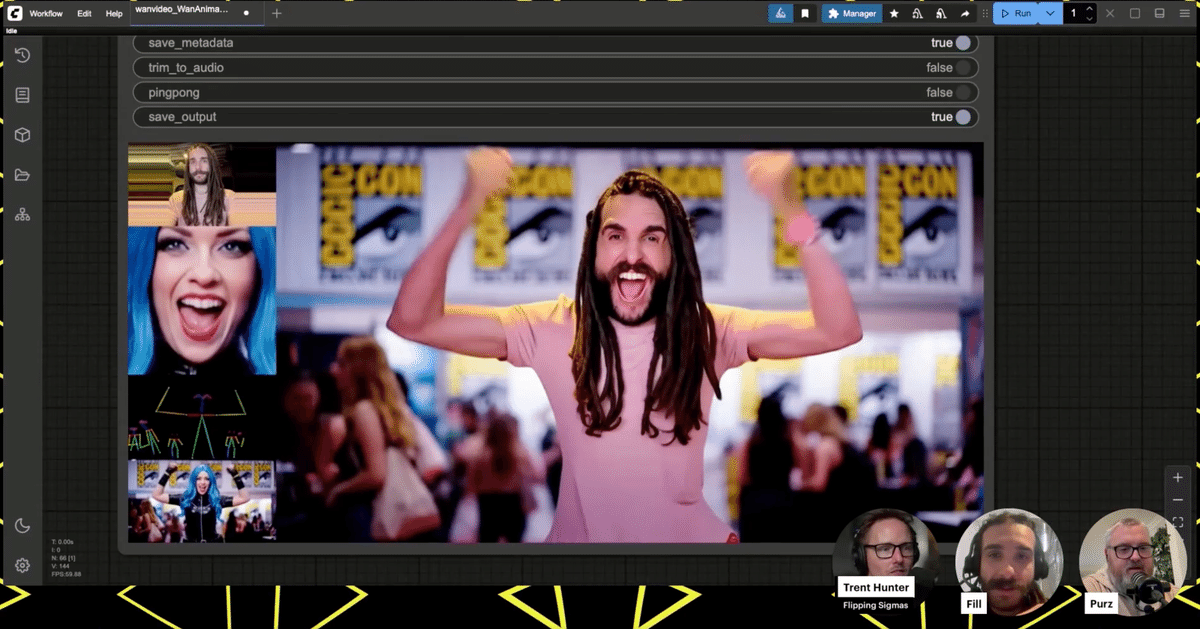
pic.twitter.com/O1RosSrROb — ComfyUI (@ComfyUI) Loading tweet component... Host: "Now, let's move on to today's main theme, which everyone has been waiting for. Before I get asked, 'Where is this workflow? Send it to me!', let me say this." The main focus of the day was the workflow for making the most of the newly released WAN Animate model. The host emphasized that this workflow is nothing special, nothing magical, and available to everyone. This workflow is included as a sample in the custom node "WAN video wrapper" developed by Kajai. The steps to obtain it are as follows: Loading this will expand the workflow to be used this time on the canvas. The first time you load it, you may see an error message saying "Many required custom nodes are missing", but you can solve this problem by installing all the missing nodes from the Manager. The host repeatedly emphasized that the following three points are absolutely essential prerequisites for this workflow to function correctly: always update to the latest version. If even one of these remains an old version, various errors will occur and the workflow will not function correctly. This workflow uses two inputs: a reference image (the appearance of the character) and a source video (the movement of the character). Then, using the group of nodes specially developed by Kajai for this workflow, the subject in the source video is automatically detected and a special blocky mask is generated. By replacing the character in the reference image with this masked area, "subject replacement" is achieved, which replaces the appearance while maintaining the movement. Inside the workflow, there is also a memo field with links to download the necessary checkpoint models, LoRA, VAE, etc. In particular, the LoRA named "LiteX" is essential. This workflow generates images in a very small number of steps, only 6 steps, so without a LoRA specializing in such high-speed generation, the output video will be of very poor quality. The host also supplemented that the WAN Animate model has a "move" function that transfers movement and a "mix" function that replaces the subject, and that the "move" function is currently being integrated as a standard function of ComfyUI. In order to try the advanced "mix" function introduced in this demo, it is currently necessary to use this "WAN video wrapper". Fill: "Wow, amazing! This... is completely tracking the facial expressions! It's like it's reading the movements of the lips." The demonstration began by using a photo of Fill's face, one of the participants, and applying it to a video of a woman dancing passionately. Everyone who saw the generated video was amazed at its quality. Not only was the face replaced, but even the subtle changes in facial expressions, such as the woman's smile and mouth movements in the original video, were realistically reproduced on Fill's face. A closer look at the workflow revealed that there was an input system dedicated to processing facial images, and that the model was accurately tracking facial expressions. During the demo, when the generation resolution was increased to 1280x720, a problem occurred in which the mask generation point for identifying the subject was greatly misaligned. While everyone was looking for a solution, a viewer in the chat offered the accurate advice, "Try setting the block size of the Blockify mask node to 8." When actually tried, the mask, which had been rough until then, changed to a very tight and precise one, and the problem was dramatically improved. This series of events symbolized the open-source live feeling of solving problems in real time throughout the community. Various experiments were conducted to explore the capabilities of this workflow. Throughout the demonstration, many practical techniques were discovered and shared, such as changing the sampler to "Euler" improves the result, and manually adjusting the mask points before re-executing. This session was a direct reflection of the lively atmosphere of the ComfyUI community, where the latest technology is explored and enjoyed. Viewer: "Does ComfyUI support parallel processing using multiple GPUs?" In response to a question from a viewer, the host replied, "Currently, it is difficult to distribute one task to multiple GPUs, but parallelization in the form of executing multiple tasks simultaneously on each GPU is very effective." The host also said that the workflow for this day was very advanced, and encouraged beginners, saying, "If you're just starting out with ComfyUI and can't get this workflow to work, don't worry about it at all. This is a difficult one." He also said that he would like to plan a stream to explain the basic content about Python and the development environment, which would be helpful in building the ComfyUI environment and troubleshooting. Host: "If you go to a place where people who like the same niche things gather, you can quickly make friends. Offline events are really a wonderful experience." Finally, the wonderfulness of participating in offline community events was discussed. It was announced that ComfyUI events are being held all over the world, including in San Francisco, Sri Lanka, New York, and Los Angeles.
ComfyUI Meetup Sri Lanka · Luma Join us for the ComfyUI Meetup Sri
Lanka – the first communit luma.com
(https://luma.com/y0lbqhbj) The host thanked guest Trent and the viewers, and the stream was concluded. ⭐️Originally broadcasted "Wan 2.2 Animate in ComfyUI with Flipping Sigmas" / September 19th, 2025 Wan 2.2 Animate in ComfyUI with Flipping Sigmas / September 19th, 2025
https://t.co/l14OfccFJ3 — ComfyUI (@ComfyUI) Loading tweet component...Chapter 2: The Power of the Open-Source Community
Chapter 3: Community Challenge Announcement
Comfy Challenge #4 Montage "Pose Alchemy"
In-depth Report: Comparison Discussion of WAN Animate and VACE Models
Chapter 4: Explanation of the WAN Animate Workflow
Obtaining and Setting Up the Workflow
Most Important Notes: Updates
Workflow Mechanism and Required Models
Chapter 5: Live Demonstration and Trial and Error
Troubleshooting with Viewers
Experiments to Explore the Limits
Chapter 6: Q&A and Future Prospects
Chapter 7: Closing and Community Event Announcement