Secrets of AI Agent Development: Gemini and Codex Deep Dive


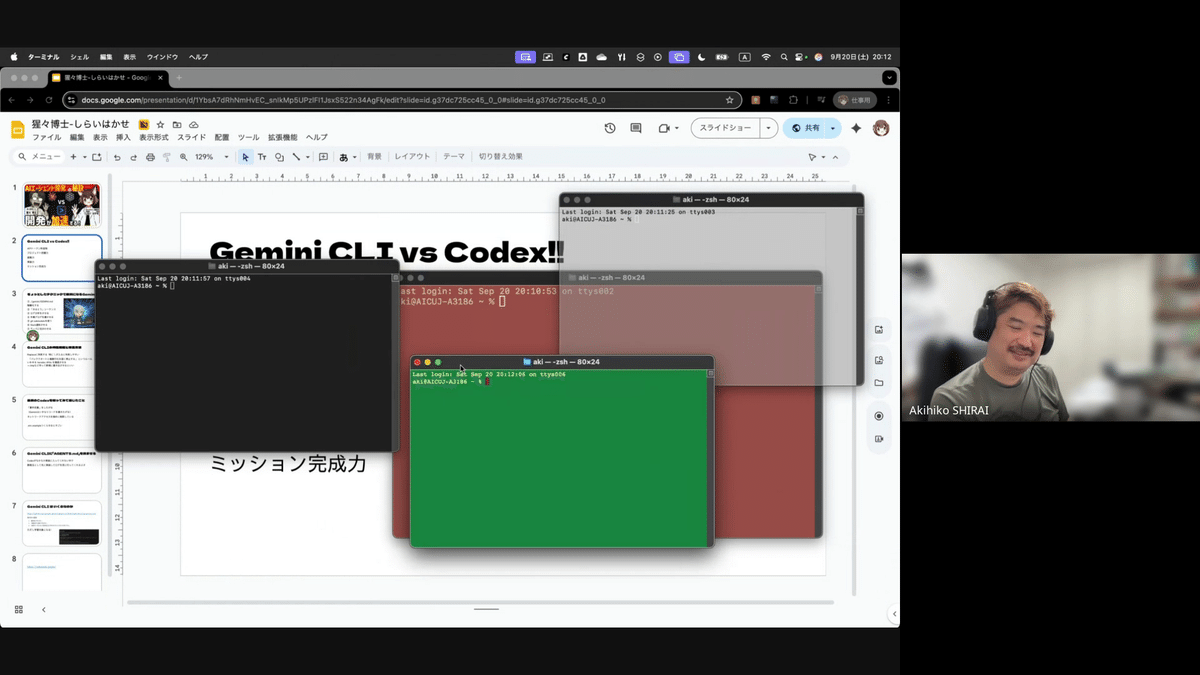
On September 20, 2025, AICU media's live discussion project [Talking with Engineers] Episode 1 - Talking about the Secret Sauce for AI Agent Development! [Codex vs Gemini CLI vs ClaudeCode] was broadcasted, featuring Dr. Shirai and the "LLM Unemployed" Dr. Shojo. This time, with the theme of "Secrets of AI Agent Development," a maniacal and practical AI engineering discussion was held, going a step or two further than fields such as the utilization of ChatGPT.
This article will highlight important points useful in AI agent development from that heated discussion.
[Delivery Notice] From 20:00 on Saturday, September 20th!
Gemini CLI x Claude Code x Codex! "There are so many AI agent CLIs, but how does everyone use them??" We will be broadcasting to address such engineers' questions! look forward to it!
Personalities: Dr. Shojo (me)・Dr. Shirai (@o_ob)https://t.co/bw44hNvxmP pic.twitter.com/ilpbLIrnKy
— Dr. Shojo 🧪💻 NEET Engineer (@Mega_Gorilla_)
Loading tweet component...
?ref_src=twsrc%5Etfw">September 19, 2025Noteworthy Tools "Gemini CLI" and "Codex" - Their Capabilities and Challenges
The broadcast introduced the development tools "Gemini CLI" and "Codex," which are attracting attention among some developers.
Codex Demo and Precautions
According to Dr. Shojo, there are Japanese character garbling issues in Windows environments. Therefore, he mainly uses "Claude Code."
Important Point: When instructing Codex to create a project, executing it in the root directory is extremely dangerous. To prevent unexpected file operations, it is strongly recommended to execute it in an isolated environment such as Docker.
Three Key Points to Master AI Agents
It seems that there are several tips for making AI agents proceed with development efficiently.
1. First, create a "Plan"
Instead of simply instructing "Create XX," it is important to first have the AI create a project plan. By conveying the requirements and going through the process of revising and approving the document, just as humans would ask a consultant, it is possible to expect development with fewer rework and higher accuracy.
2. Understand the "Personality" of Each LLM
The dialogue discussed the interesting characteristics of each LLM (Large Language Model).
Codex: A "consultant" type who carefully performs overall design. However, it is a little weak at novel ideas.
Gemini: A "loose cannon" type who immediately takes action when a problem is found. It is easy to adopt new ideas and has a very high log analysis ability.
Claude Code: Its appealing imaginative power to suggest unexpected approaches. On the other hand, the quality of the code tends to decline in the latter half.
Understanding these characteristics and using them properly depending on the task seems to be the key to success.
3. Have AI Inherit Memory with "GEMINI.md"
The Gemini CLI has a GENINI.md file where project rules and policies are recorded. This functions like a "system prompt" or "long-term memory" for the AI, and even if the work is interrupted or resumed, the AI will continue consistent development without forgetting the context of the project.
It is said that by writing the "code of conduct" as a business owner or developer here, the AI will be able to proceed with tasks more autonomously and even provide progress reports.
Advanced Usage and Security
AIDevOps: An approach was introduced in which multiple AIs such as Gemini, Claude, and Codex are asked for second opinions to proceed with development from multiple perspectives.
Cost Management: The importance of scripts that automatically select the optimal cloud service according to cost and speed, such as AWS and GCP, was also discussed.
Security: It is essential to handle API keys and other confidential information with great care, using techniques such as storing them in the .gemini/security folder and managing them with .gitignore.
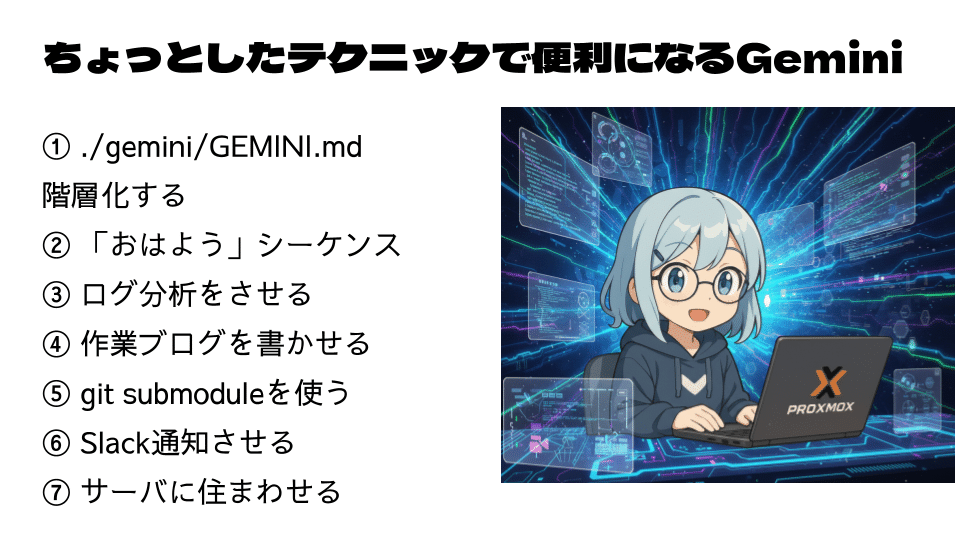
7 Advanced Techniques for Mastering Gemini CLI
This time, Dr. Shirai introduced a useful technique as AI DevOps for server management.
① Layer ./gemini/GEMINI.md to Manage AI Memory
GEMINI.md is a "long-term memory" file that allows AI to remember universal rules and policies in a project and maintain the same context even when work is resumed. By taking this one step further and layering the files, more advanced management becomes possible.
For example, divide and layer files as follows:
~/.gemini/GEMINI.md: Describes the overall purpose and basic policies for using Gemini CLI, such as the highest level instructions.
./gemini/role/developer.md: Describes the code of conduct when acting as a developer (coding rules, testing policies, etc.).
./gemini/role/manager.md: Describes the project manager's policy (progress reporting rules, task management methods, etc.).
./gemini/docs/api_spec.md: API specifications to be referenced.
In this way, by dividing files according to roles and purposes, AI can accurately refer to the necessary information according to the current task and generate more professional and consistent output.
② Use the "Good Morning" Sequence to Allow Autonomous Status Checks
This is a mechanism for AI agents to autonomously check the health of a project. It triggers the trigger with the image of saying "Good morning" at a fixed time every morning, or when a developer starts working.
When this sequence is executed, Gemini automatically performs the following tasks:
Check the operating status of related services (server liveness monitoring, etc.).
Check for changes since the end of yesterday's work (commit logs, etc.).
Check for error logs or alerts.
Organize the tasks to be done today and propose them to the developer.
This allows AI to handle the routine confirmation work that humans used to do every morning, and immediately start the essential development work.
③ Analyze Logs to Identify Problems That Humans Cannot Find
Gemini is characterized by a long context compared to other LLMs, and is very good at quickly reading a huge and deep amount of logs that are difficult for humans to follow with their eyes. Specific examples of utilization include:
Identify the cause of a bug: For vague bugs reported by users, analyze all related logs to pinpoint the cause of the error.
Discover performance bottlenecks: Analyze a large amount of access logs to determine the cause of slow system response (specific APIs, database queries, etc.).
By utilizing AI's analytical capabilities, debugging and performance tuning time can be dramatically shortened.
④ Have AI Write a Work Blog to Document the Development Process
AI is good not only at writing code, but also at writing down the process. Instruct Gemini to write about today's work, an overview of the implemented functions, the problems encountered, and the solutions, and automatically generate a development blog or daily report.
This creates the following benefits:
The development process is automatically left as a document.
Information sharing with team members becomes smooth.
AI-generated narrative articles can also be used as external technical public relations content.
It becomes easier to explain the background when transferring work to another day, another AI, or a human.
⑤ Use git submodule to Efficiently Manage Projects
git submodule is a function for incorporating another Git repository as a subdirectory within a Git repository. By utilizing this in AI development,
Common Library Management: Common libraries and tools used in multiple projects can be managed as submodules to streamline development.
Centralized Management of Configuration Files: A repository containing various configuration files can be shared by multiple projects.
By instructing AI to "extract this function as a submodule," the reusability of the project is improved and management is made easier.
⑥ Send Slack Notifications to Understand the AI's Work Status in Real Time
When an AI agent is autonomously working in the background, it is important to understand its progress and results in real time.
By setting Gemini to notify Slack at each task break,
"Started implementing XX function"
"An error occurred in test case XX"
"Today's work is completed and the results are summarized in the blog (article URL)"
You can receive notifications in Japanese full of emoji, and the entire team can always understand the AI's work status.
⑦ Have AI Live on the Server to Build an Autonomous Agent That Works 24 Hours a Day
This is a more advanced usage method in which a Gemini agent is stationed on a development server or cloud to perform autonomous tasks.
However, as emphasized in the dialogue, maximum attention must be paid to API usage fees and security. It is essential to execute it in a securely managed isolated environment such as Docker so that it cannot be accessed from the outside.
After building a safe environment,
Automatically run tests at night.
Constantly monitor production environment logs and notify Slack immediately if there are any abnormalities.
Periodically collect necessary information from the web and generate reports.
By assigning these tasks, you can get an excellent assistant who works 24 hours a day, 365 days a year.
Summary and Future Prospects
In this dialogue, specific and deep insights were shared on how to utilize AI not just as a "code generation tool," but as an "agent" that thinks autonomously and promotes development.
Dr. Shojo introduced "LiveCap," a real-time transcription and translation tool that he is developing. If you are interested, please join the Discord server and send feedback.
The next broadcast is scheduled for October 5th (Sunday) from 21:00, and the theme will be a review of Maker Faire Tokyo. If you want to know the cutting edge of AI development, be sure to check out the next broadcast!
The Next Broadcast is Scheduled on this X-Live
AICU - Creating People Who Create [Talking with Engineers] Secrets of AI Agent Development Accelerating Development! twitter.com
Archives are Here
X-Live
AICU - Creating People Who Create Future AI Utilization Engineering 2025/9/20 20:00- twitter.com
YouTube