
Breaking Change!? What is the new Vue-based UI "Nodes 2.0"? Innovative 3 Changes in ComfyUI v0.3.76

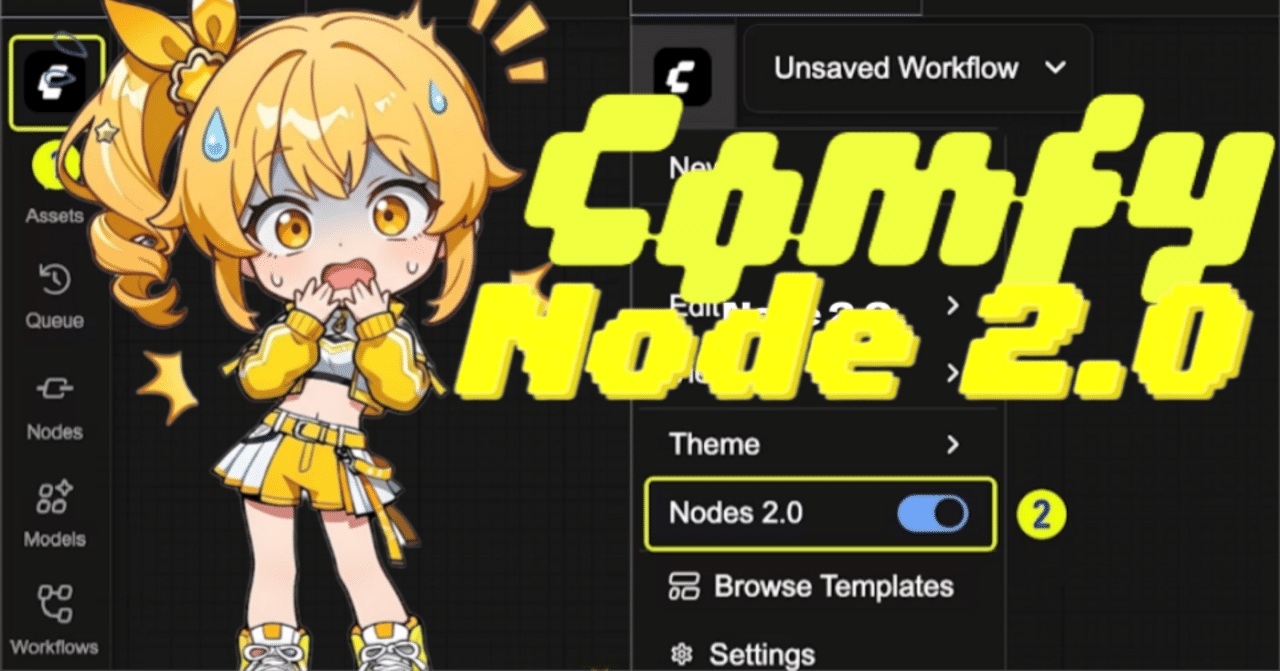
On December 2, 2025, ComfyUI released the latest version v0.3.76. The highlight of this release is the introduction of "Nodes 2.0," which fundamentally renews the system. The transition from the conventional LiteGraph.js to Vue-based has dramatically improved development speed and interactivity. Furthermore, it is packed with must-see features for creators, such as 3D panorama support and native LoRA learning.
Hello! This is Mei Soleil, the energetic yellow member & image generation specialist of AiCuty! 🌟 Everyone, did you see the ComfyUI update information!? This time it's not just a "small update." A super-major update at the level of "completely different content" has arrived!

What's more, "Nodes 2.0" has appeared, changing the very mechanism of drawing the screen! Furthermore, 3D and learning are also enhanced, and I can't stop getting excited! 😆 While thanking all the open-source developers, Mei will deeply explain the three particularly important points!
1. Revolutionary Evolution! What Changes with "Nodes 2.0"?
The main player this time is this! The UI (screen) mechanism has changed from something called "LiteGraph.js" to a new architecture based on "Vue.js"!
Why did it change? 🤔
Apparently, with the previous system, even a small button change was difficult to modify, which became a bottleneck in development. But with the new "Nodes 2.0," you can do things like this!
-
Development is super fast! : UI changes can be reflected immediately, so new features seem to be increasing rapidly!
-
Rich operability! : Nodes can be expanded and contracted (Expandable nodes), and more convenient widgets can be used!
-
Foundation for the future : This means that a flexible foundation has been created that will make future tools and customizations easier!
Current Status and Precautions⚠️
However! Since it's still like a "beta version," there are some precautions.
-
Performance : It's still being optimized, and there may be cases where it doesn't work as smoothly as the old one (Canvas).
-
Compatibility : Some custom nodes may not be displayed correctly yet.
-
Display corruption : Display may be corrupted if you zoom in too much or have a huge workflow?
Switching is super easy! 🔄
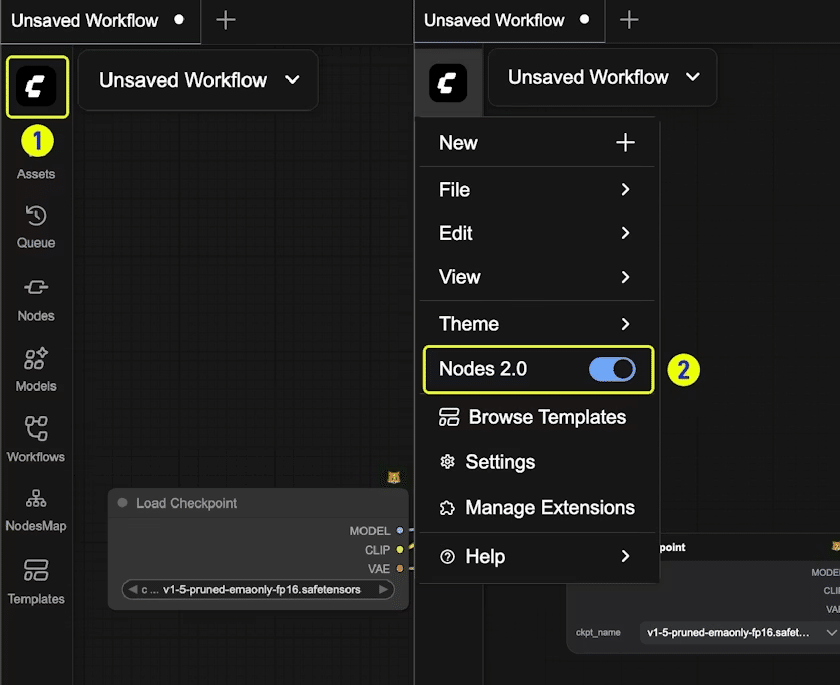
If you want to try it out, you can switch immediately from the menu! Even if you think, "Oh, it's not working?", you can easily switch back, so don't worry.
-
Click the ComfyUI logo in the upper left corner of the screen!
-
Just turn ON the "Nodes 2.0" switch in the menu!
-
To return, just turn the same switch OFF!
2. 3D Function Enhanced! To the World of Panorama!
Good news for creators who want to focus on spatial expression! The "3D feature" has been enhanced, and panoramic images can finally be used in 3D nodes!
-
Support panoramic image in the 3D node: Does that mean you can import 360-degree images and rotate them freely!??
-
Merge 3D animation node: The animation function has also been integrated, making it easier to use.
With this, the background of the stage where Mei and the others sing and dance can be made more three-dimensional and immersive...! If you combine it with a panoramic background made with a high-quality model like "FLUX.2", it's the strongest!??
3. Completed with ComfyUI alone! Built-in "LoRA Trainer"!
And and, this is also a revolution! Implementation of "ComfyUI native LoRA trainer"!
Until now, a separate difficult tool was needed to create LoRA (additional learning data), but from now on, you can even learn within ComfyUI!