
Practical Review: Overcoming the "First Hurdle" of AI Videos with "Video Generation AI to Shape What You Want to Create"


AICU creates creators, and today we have a book review by EMKO. Here's a review of "Video Generation AI to Shape What You Want to Create: From Basics to Tips for Prompts!" (written by NOBU, published by Impress).
Recently, I've been seeing a lot of AI videos created by individuals on social media.
When characters with unique worldviews and impressive scenes flow by as short videos, I can't help but stop and watch.
While watching these videos, have you ever wondered:
"Could I make videos like this myself?"
But when you actually try to do it, many anxieties and questions arise.
- Which tool should I use?
- I don't know how to proceed to completion.
It is often the case that people stop at the first step.
The book I'm introducing this time, "Video Generation AI to Shape What You Want to Create" (written by NOBU, published by Impress), eliminates that "initial stumbling block" and shows the steps to easily complete a 10 to 30 second short video with just the basic functions of Midjourney, even without specialized knowledge.
In this article, I will introduce insights and points for beginners that became visible while actually creating a video according to the steps in the book, as a practical review.
First, please watch the short video actually produced using the procedure in the book.
This is one goal image that can be reached.
▼Click here for the completed video
From here, as a practical review of the production process according to the steps in the book, I will introduce some of how the video takes shape.
Practical Report
Step 1: First, Make a 5-Second Video
The first thing the book guides you to do is create a short 5-second video. Sample images and prompts are provided, so readers can take the first step without hesitation.
▼Video created during implementation (or thumbnail image)
There is a small surprise in the moment when a still character starts to move. The feeling of "I made it" that you get here becomes the motivation for the next step.
Step 2: Extend the Length with the Extend Function
The next step is to "Extend" the 5-second video to about 13 seconds. What beginners are likely to face is the unnaturalness of the joints.
- The character's posture suddenly changes
- The background becomes a different scene
- The movement is not continuous
The book carefully organizes points where such failures are likely to occur and "points for judging" to avoid them.
Specific procedures are important, but in order to create good videos from now on "Why do failures occur?" "What kind of materials are easy to extend?" The value lies in cultivating this kind of perspective, and the book also teaches you how to think about this.

Step 3: Connect Multiple Cuts to Create a Short Story
Compared to generating single videos, the process of connecting multiple cuts and making them stand as a "story" is the point where you are most likely to get confused when creating videos. "How can I connect them to make them look natural?"—— Many people may have stopped at this difficulty before. The book spends a lot of time on this step.
Midjourney's three basic functions (Keyframe / Loop / Motion) are broken down into a form that even beginners can handle, You can learn the flow of creating multiple short cuts to construct a story.
The video that was material, The moment it connects, it starts moving as a “work”.—— This feeling is the fun of video production itself.
▼Created Short Story
From “moving” to “composing”. The creative perspective changes one step here.
Step 4: Complete an Original Short Video with BGM
In the final step, integrate the previous processes, Complete a 15-30 second short video.
- Adjusting the style
- Aspect ratio setting
- Material generation
- Stop Motion
- Image editing with Canva
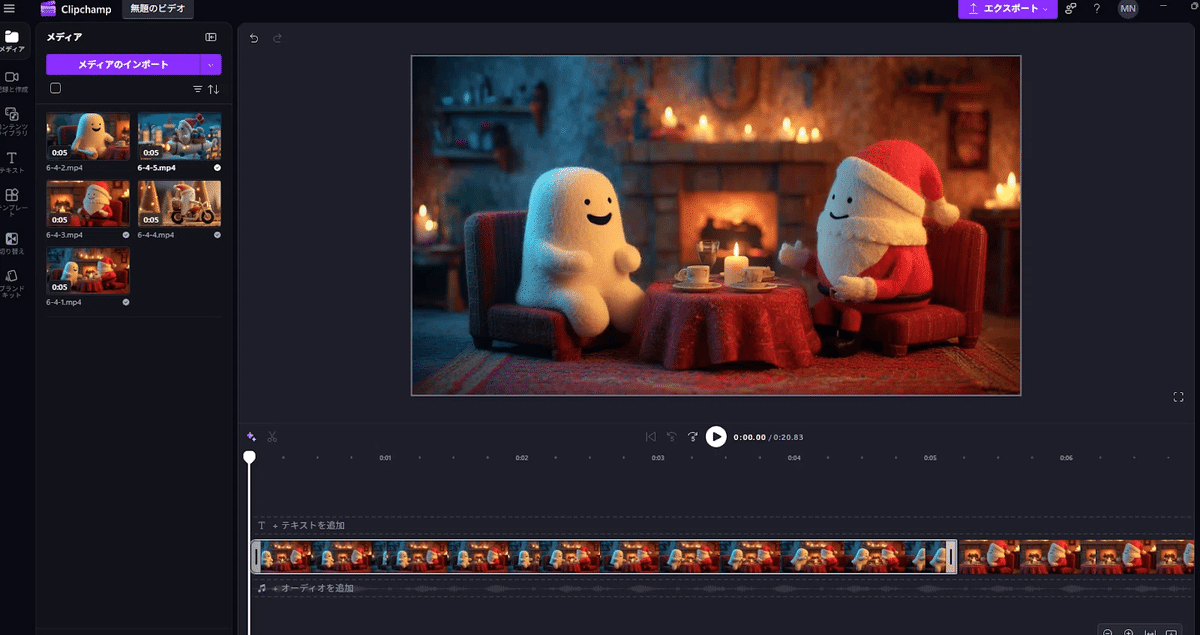
- Build a flow with video editing
- Generate BGM with SUNO
The time to put together “one world” using multiple tools is the real thrill of video production. The atmosphere of the video changes just by adding music, and the sense of unity as a work rises at once.
When you complete the steps in this book, you will notice that your perspective naturally shifts from being a tool user to “a creator who creates videos”.
What was good about this book
- Configuration that makes it difficult to give up
It anticipates areas where you are likely to stumble and explains them carefully.
- Plenty of diagrams and screenshots so you won't get lost
It is thoroughly designed to prevent beginners from getting "lost on the screen."
- The appendix is surprisingly practical
The basics that affect the quality of the video, such as composition, lens, and shots, are condensed.
- Ideas come to mind
There are plenty of examples, and you will naturally want to try making the next one like this.
Recommended for people like this
- People who want to start AI videos but are worried about the first step
- People who have tried it once but gave up halfway through
- People who are the type who want to understand with “procedure” rather than sense
- People who want to express their worldview as a video
Click here to purchase this book
Video Generation AI to Shape What You Want to Create: From Basics to Tips for Prompts! __ amzn.to 2,530 yen (As of December 08, 2025 23:35 Details here) Buy on Amazon.co.jp
This is a book that gently helps you overcome the "first wall" of AI video creation.
Summary
Creating AI videos is much more accessible than you think. The step of "5 seconds first" changes "I want to make it" to "I might be able to make it." From "viewer" to "creator". This book supports that first leap. This should be an introductory book that allows those who are about to create AI videos to take the plunge with confidence.
Book review by npaka
EMKO's previous articles
Thank you to the author NOBU for writing this wonderful book.
For book review requests to AICU, please DM us at X@AICUai!