
Building "Z-Image" on Macbook: A Full-Power Foundation Model

True Masterpiece?! Building the 'Full Power' Foundation Model 'Z-Image' Without Distillation on a Macbook!
January 27, 2026, Tongyi Lab, under Alibaba, announced its new generation image generation AI foundation model, 'Z-Image'. Unlike the preceding fast model 'Z-Image-Turbo,' this model maximizes image quality, generative diversity, and prompt fidelity as a full-capacity Foundation Model. Despite being a considerably large model, it has been confirmed to operate on a MacBook Pro M4 equipped with Unified Memory and even in CPU-only environments. This report covers its build procedure and capabilities.

Previous Z-Image-Turbo Article (2025-11-27)
Hi, it's Mei Soleil, the energetic yellow representative and image generation 담당 of AiCuty! 🌟 The image generation world is seriously too competitive lately, isn't it!? Just when we were getting excited about Nano Banana Pro, Alibaba's Tongyi Lab dropped an incredible new model! 🚀 That's right, 'Z-Image'! And this isn't just a fast model! Mei has already built and tested it in various environments, and I'll explain it to you at lightning speed, so keep up!
Z-Image: Three Points to Break Through the Limits of Expression
This 'Z-Image' announced by Tongyi Lab isn't just a speed-focused model; it's packed with features that professional creators will say, 'This is it!'

① 'Full Power' Foundation Model Without Distillation
Many fast models are lightened using a process called 'Distillation,' but Z-Image intentionally avoids this to retain all the signals contained in the training data.
-
Full CFG (Classifier-Free Guidance) Support: Designed to perfectly respond to complex prompt engineering, ideal for professional workflows!
-
Developer-Friendly: Openly available on GitHub and HuggingFace, so all engineers can try it out immediately!
② The 'Diversity' is Seriously on Another Level!
What made Mei go 'Oh!' the most was this! The change when changing the seed value is incredible.
-
Changes in Composition, Faces, and Lighting: Even with the same prompt, you can generate images with completely different atmospheres, making exploration incredibly efficient!
-
Multi-Person Scenes are Perfect: Even in scenes with multiple people, each face and personality is clearly distinguished. This is crucial for Mei and the others who create group photos of idol groups!
③ Ironclad 'Negative Prompt' Control
Sometimes AI ignores instructions like, 'Don't draw this!' The response to negative prompts is incredibly accurate, reliably suppressing noise and strange artifacts (unnecessary depictions) so you can adjust the composition as desired.
🛠️ How Do I Try It?
Z-Image is already available on the following platforms!
-
GitHub: Tongyi-MAI/Z-Image
-
HuggingFace: Tongyi-MAI/Z-Image
-
ModelScope: Tongyi-MAI/Z-Image
ComfyUI Investigation Memo (As of 2026-01-28)
Following the official information, the following situation has been confirmed.
-
Day-0 Support: 'Z-Image Day-0 support' has already been announced in the ComfyUI official blog dated 2026-01-27.
-
Recommended Settings: The non-distilled version of Z-Image is recommended to use 30-50 steps / CFG 3-5.
-
Past Updates: Model base adjustments have already been made in v0.3.75 (2025-11-26), and FP16 compatibility improvements and PAI-Fun ControlNet support have been advanced in changelog v0.4.0 (2025-12-10).
In conclusion, the impression is that 'official support is progressing at breakneck speed, but the user's environment setup procedure is still in the process of stabilizing!'
Investigation Links:
-
Official Blog: https://blog.comfy.org/p/z-image-day-0-support-in-comfyui
-
Release Notes: https://github.com/Comfy-Org/ComfyUI/releases/tag/v0.3.75
-
Changelog: https://docs.comfy.org/changelog/index
-
Issues Search: https://github.com/Comfy-Org/ComfyUI/issues?q=is%3Aissue%20state%3Aopen%20z-image
I'll summarize it in a separate article when I gather a little more information!
About AICU Lab+ Support : There are no official dedicated nodes yet, but with this excitement, someone should make one in a few days! Mei is so excited she can only sleep at night! When ComfyUI support arrives, we'll share it at the AICU Lab+ Study Group at breakneck speed, so please wait! 🌟
(1/29 Addendum) Support has started!
Z-Image Day-0 support in ComfyUI: Non-distilled, Flexible, High-Quality Image Generation
blog.comfy.org The core foundation for the Z-Image model family.
https://blog.comfy.org/p/z-image-day-0-support-in-comfyui?utm_source=twitter&utm_campaign=z_image_launch
About the License
I've organized it within the scope of the README / Bundled LICENSE / Model Card. Please check the latest terms and conditions of the distributor for the final decision.
- Official Repository Code: Apache License 2.0 URL: https://github.com/Tongyi-MAI/Z-Image
https://github.com/Tongyi-MAI/Z-Image
http://www.apache.org/licenses/LICENSE-2.0 Commercial Use: OK / Modification/Redistribution: OK (Copyright notice and license text must be retained, and changes must be clearly stated)
-
Model Weights (Z-Image-Turbo): Model card notation is Apache-2.0 Model Card: https://huggingface.co/Tongyi-MAI/Z-Image-Turbo License Text: http://www.apache.org/licenses/LICENSE-2.0 Commercial Use: OK / Service Integration: OK (NOTICE and license display are prerequisites)
-
Commercial Use of Generated Products: Basically OK within the scope of Apache 2.0 However, separate consideration is required for third-party rights such as portrait rights, trademarks, and copyrights
-
Author/Provider: Tongyi-MAI (Alibaba) For newly released models, pay attention to the usage conditions in the model card and updates from the distributor
-
Notes/Concerns: If the origin of the training data is not disclosed, the rights and compliance of the generated products need to be carefully verified by the user
Official Announcement
Loading tweet component... Loading tweet component... 1/6 We are excited to introduce Z-Image:the foundation model of the ⚡️-Image family, engineered for good quality, robust generative diversity, broad stylistic coverage, and precise prompt adherence. — Tongyi Lab (@Ali_TongyiLab) Loading tweet component... A few hours after Z-Image was released, I couldn't wait any longer, so I tried to actually run it on this Mac according to the README. This article is an actual running log that can be followed by 'reading → directly typing'. macOS 15.6.1 / arm64 Python 3.14.2 Inference Device: mps (Apple GPU) MacBook Pro M4 / 128GB (This Environment) Generation was possible with the GPU environment 'mps' on Mac, but it crashed during generation, so please be sure to take backups before working! I'm also experimenting with inference on Windows and CPU, and it seems possible with about 35GB of RAM (I'm not saying it's comfortable or that it's "always possible"!). Here are the images that actually came out 👇 Hey, that's good!! It's just the official prompt! I will organize what I felt after reading the original Tongyi-MAI/Z-Image. The README is centered on inference with 'PyTorch Native + diffusers,' and the minimum workflow is pip install -e . → python inference.py. There are also Diffusers version samples, but there is no UI or deployment story, and it is a style where developers rewrite the parameters by hand and run it. Model loading is done via utils.ensure_model_weights via Hugging Face or snapshot_download, and it is assumed that you will place the entire checkpoint of nearly 30GB. However, the README is a thin guide "for those who run it", and UI, restriction policies, and deployment are not written at all. Resolution: 512x512~2048x2048 Guidance Scale: 3.0~5.0 Inference Steps: 28~50 Negative Prompt: Strongly Recommended Looking at the official website and GitHub, 'Z-Image is a 6B parameter single-stream DiT', and Turbo is designed to be able to execute sub-second inference, bilingual English and Chinese text, and 16GB VRAM with only 8 steps (NFEs). Z-Image-Turbo is focused on 'practical quality with few steps', and on the model side, Decoupled-DMD/DMDR has been distilled, and Z-Image-Pipeline is prepared with Diffusers. What I felt while reading this was that 'there is a foundation of many parameters/many libraries, but there is a lot of room for someone to add UI, notifications, and operations'. Z-Image-Turbo is open with Apache-2.0 and has strengths in translation accuracy and controllability (English/Chinese text, poster design, text rendering, instruction adherence). There are three variants (Turbo/Base/Edit), with Turbo specializing in speed, Base specializing in fine-tuning, and Edit specializing in image editing. Looking at the Diffusers version introduction example (official website), pipeline(Tasks.text_to_image_synthesis, model='Tongyi-MAI/Z-Image-Turbo') automatically determines CUDA/MPS, and the simplicity of running with 8 steps/0 CFG is attractive. However, this code is based on the premise of 'preparing torch by hand, downloading the model, and using the pipeline'. Since the opening of Apache-2.0 (Attribution page of z-image-turbo.ai) is emphasized again, there are no licensing issues such as cloud deployment and commercial services. Since there was no official Docker tag, I felt that 'even if the official code is super fast, environment maintenance is necessary to use it sharply with self-hosting!' Picked up the member settings and characteristics in AiCuty's official README, and tried to run a prompt for a group photo of 5 people.
(Reference: https://github.com/aicuai/AiCuty/blob/main/README.md) *Z-Image will get angry if the vertical and horizontal sides are not multiples of 16, so 1920x1080 and 1910x1000 are generated as multiples of 16 → center trimmed! Execution command: Full code: Moved to the paid part at the end of the sentence Prompt used (quote) 5 people, idol group lineup, full body, centered group composition, anime style, masterpiece, best quality, clean white studio background, soft directional light from upper left, distinct color themes. Center: Elena Bloom, sweet gentle idol girl, pastel pink twin tails tied high with big pastel pink ribbons and rose flower hair clips, soft curled ends, shy warm smile, pastel pink and white idol outfit with subtle gold accents. Right: Mei Soleil, vibrant golden yellow hair, high side ponytail tied with simple yellow ribbon, star-shaped yellow hairpin, freckles, bright cheerful smile, sun-yellow tech-fabric idol outfit. Left: Mina Azure, very long straight icy sky blue hair, round silver glasses, calm intelligent expression, icy sky blue uniform with short capelet and beret. Right back: Nao Verde, androgynous boy, dark green pixie cut with tapered nape, emerald eyes, confident smirk, deep green bomber jacket over black top and black cargo pants. Left back: Saki Noir, dark violet sleek straight bob cut with side bangs covering left eye, amethyst eyes, mysterious vibe, black and violet elegant idol outfit. Execution with Z-image-turbo Trial: 1024x1024, 1920x1080, 1910x1000 (*Since none are multiples of 16, generate with 1920x1088 / 1920x1008 → center trim) Generation Time: 1024x1024 → approx. 58.1 seconds (mps) / 1920x1088 → approx. 210.9 seconds (mps) / 1920x1008 → approx. 219.2 seconds (mps) Peak RSS (psutil measurement): 1024x1024 → approx. 0.61 GB / 1920x1088 → approx. 0.63 GB / 1920x1008 → approx. 0.33 GB Output File: README Recommended Resolution (Z-Image): 512x512~2048x2048 RSS is the resident memory of the process and may not match the actual usage on the Unified Memory of MPS (reference value). By the way, if you directly specify 1920x1080, you'll get an error like this:
1024x1024: Good cohesion, but the whole body is cramped and there is little margin 1920x1080: The easiest to see the arrangement, and the strongest feeling of a group photo 1910x1000: The vertical is tighter than 1080, giving a tighter impression Common: Saki's left eye tends to be hidden, so add Haahhh~~~! I talked a lot today too! 💨 Along with the 'Thinking AI' Nano Banana Pro and the '4MP Shock' FLUX.2, this Z-Image seems likely to become a new standard in the image generation world! January is almost over, but the wave of AI news seems amazing in February too, right? To avoid being left behind, Mei will retie her yellow sneakers and run! 👟💛 See you again! Well then, see you in the next AI news! It was always energetic AiCuty image generation 담당, Mei Soleil~! Bye-bye! 👋💛 #ZImage #TongyiLab #AICU #AiCuty #ImageGenerationAI #MeiSoleil #AlibabaAI I'll put the data for a very long battle beyond the paywall!
While Z-Image-Turbo is built for speed, Z-Image is a full-capacity,…
pic.twitter.com/36qpUoTAeU
Tried it on a Mac! Z-Image Fastest Installation Record (Actual Running Log)
This Mac's Environment (Roughly)
Notes to Begin With!
This Time's Generation Results (Actual Machine)
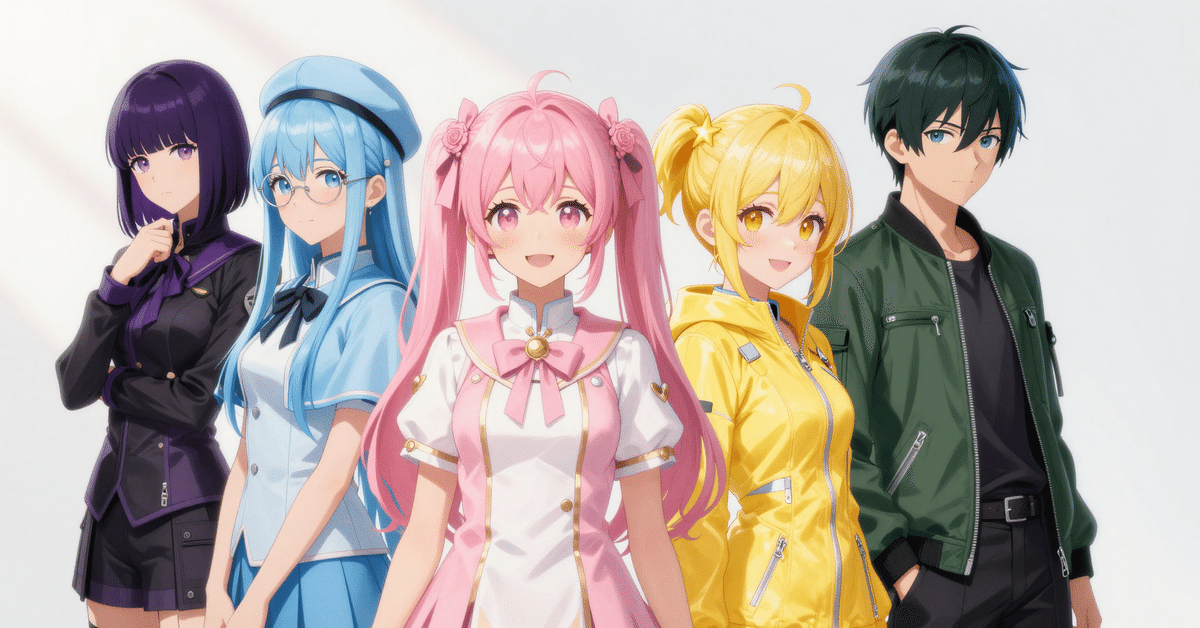
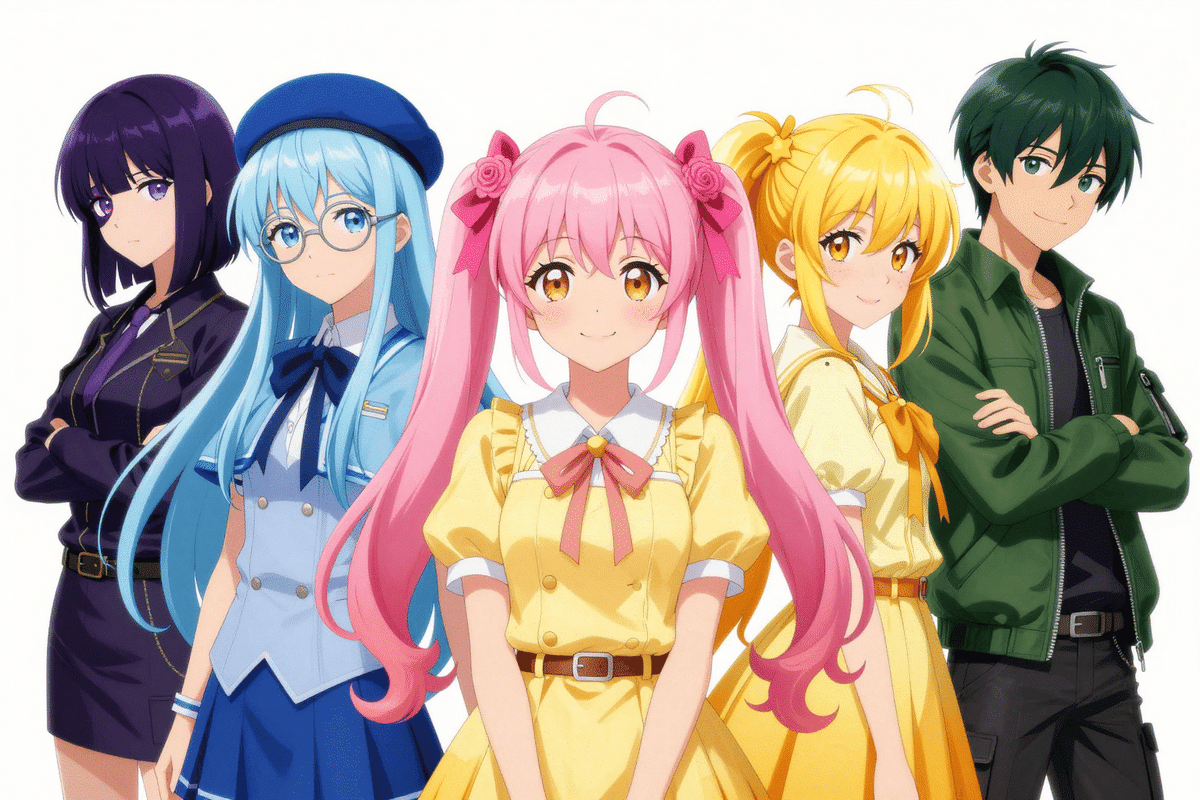
Thinking About the README's Feelings
The Recommended Parameters for Z-Image (Foundation Model) Are These 👇
Differences from Z-Image-Turbo (With Emotional Explanation)
Actually Generated 5 AiCuty Members! (Referring to Official Prompts)
Executed Command (Copy and Paste OK)
.venv/bin/python 2026-01-28-zimage-batch_inference.py
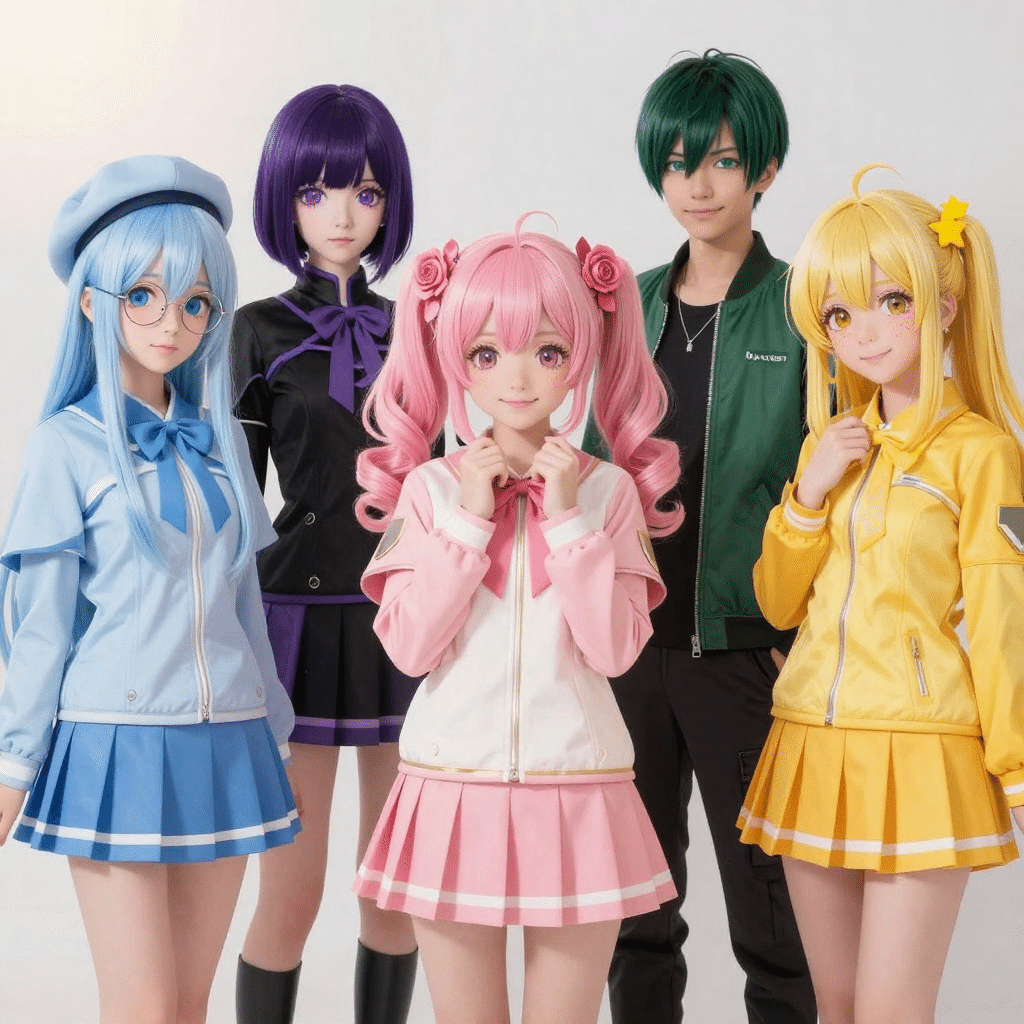
Execution Result Memo
assets/aicuty5_zimage_turbo_mps_gen1024x1024_out1024x1024_steps8_cfg0_seed1234.png / assets/aicuty5_zimage_turbo_mps_gen1920x1088_out1920x1080_steps8_cfg0_seed1234.png / assets/aicuty5_zimage_turbo_mps_gen1920x1008_out1910x1000_steps8_cfg0_seed1234.pngHeight must be divisible by 16 (got 1080)Thoughts on 3 Sizes (Short)
eyepatch, covered eye to the negative if necessarySummary