
Create Voice Dramas with Qwen3-TTS + ComfyUI! AiCuty's 5 Members Chat


On January 22, 2026, the voice synthesis AI "Qwen3-TTS" was released, and since then, multiple custom nodes for ComfyUI have appeared. This makes TTS (Text-to-Speech), which generates speech from text, easily available in the ComfyUI environment. The multi-person conversation generation function opens up new possibilities for creating natural dialogue scenarios between characters.
Hey everyone, how's it going? It's Mei! 💛 Today, I'm here to bring you some huge news! Apparently, Qwen3-TTS can now be used with ComfyUI! What's more, AICU collaboration creator TORAKO
https://note.com/unique_lotus6046 -san has created a cute and fun tutorial video!! Does this mean we can create natural voice dramas from text!?

What is Qwen3-TTS? How do you operate it in ComfyUI?
Qwen3-TTS is a Text-to-Speech model, which means it's an amazing AI model that converts text (sentences) into natural speech, just like a human is talking! There have been various TTS models before, but Qwen3-TTS is especially expressive and can handle various voices and ways of speaking!
And I was so surprised that it can now be used with ComfyUI! ComfyUI is a super fun tool where you can connect Stable Diffusion, an image generation AI, with nodes to create your own workflow, right? Being able to incorporate voice generation AI into it, I feel endless possibilities! ✨
Hello! This is TORAKO!
I was wondering if Qwen3-TTS could be operated in ComfyUI, so I looked it up and found many custom nodes! So... this time, I tried out the custom node created by flybirdxx!
I was thinking of writing an article about how it feels, but it's too much trouble... It was difficult to put it into words, so I made it all into a video!
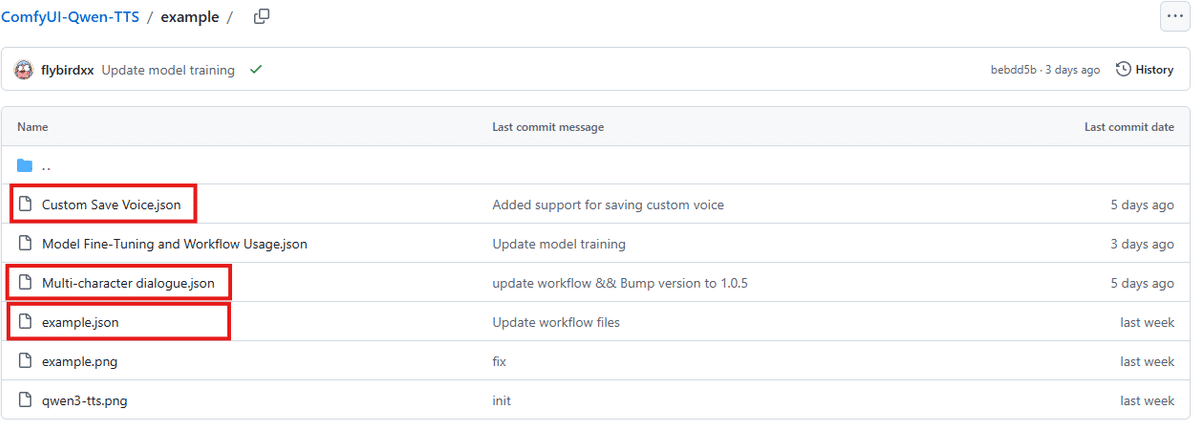
(1) Let's try the "example workflow" version
https://www.youtube.com/watch?v=SngXExmGS6c
(2) Let's try the "Custom Save Voice workflow" version
https://www.youtube.com/watch?v=JGYAuz4gNTY
(3) Let's create a conversation drama with the "Multi-character dialogue workflow" version
https://www.youtube.com/watch?v=SngXExmGS6c
This time, I only touched the voice generation workflow, but a workflow for tuning the model has also been added.
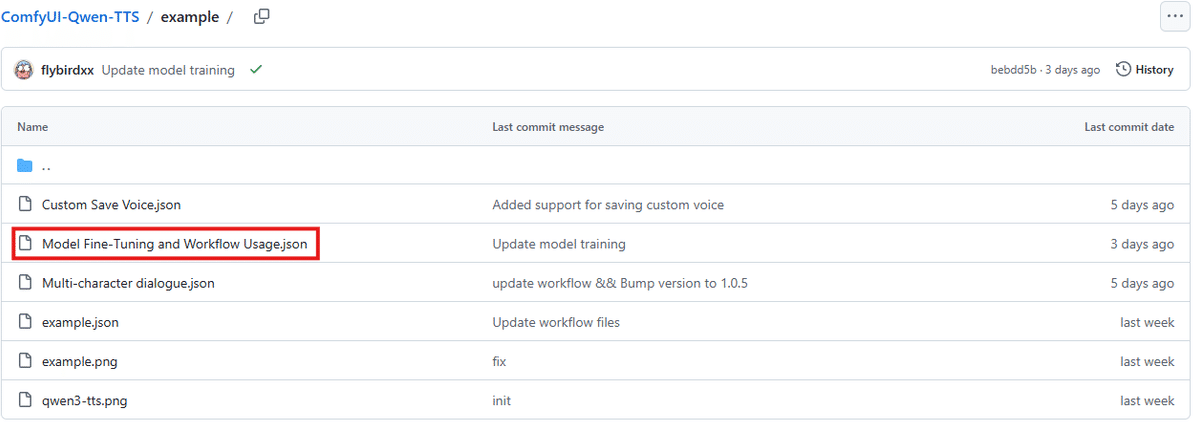
I don't know how to use this with my knowledge, so I'm just introducing it! (I wonder if it feels like incorporating it into the model with a voice data set like Lora learning?)
If you want to enjoy generating voices more simply, I also recommend this custom node!
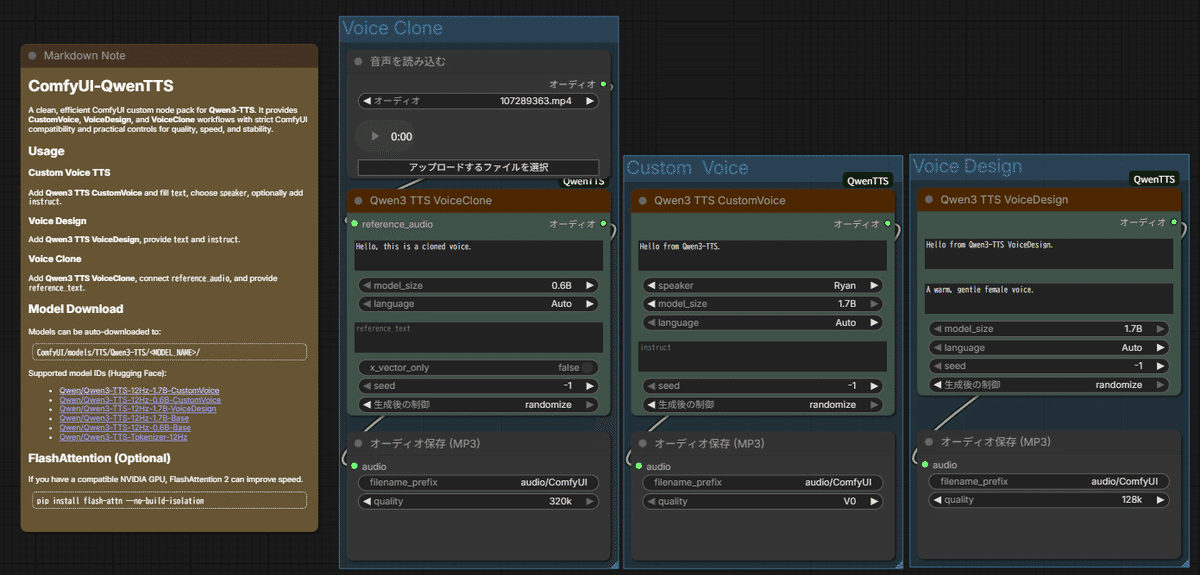
Finally, I tried to make the conversation of the 5 AiCuty members that I was making in the video a little more natural! *The voices of the 5 members are not the official decided voices of AiCuty.
There seems to be room for improvement in how to write lines and various settings! (In other words... this is also a swamp! Time melts away ~~(^o^)~~)
That's all from AICU collaboration creator TORAKO. You can use it for the next contest~! Comments on the video are also welcome!

This custom node is really easy to use, so everyone should check it out! https://github.com/flybirdxx/ComfyUI-Qwen-TTS
TORAKO is also a regular participant! The next AICU Lab+ study session is scheduled for 2/14. Please join us!
A development experience hotter than chocolate! Let's raise the vibes with "Introduction to Claude Code" on 2/14!
www.aicu.jp Raise the vibes of AI and code at the study session "Introduction to Claude Code" and learn rapid development on Valentine's Day. From beginners to managers
https://www.aicu.jp/post/260129?srsltid=AfmBOopNNkT_96oQ3K_rxpxw_xKy5qm-2BGpaDaqVvHBHGalKPeXl4YD
If you think this article is "good!", please like, follow, and recommend it!